AI Proposal Generator vs. Sales Quote Software: Which Helps You Close Faster?
Proposal software and AI quote tools solve different problems. Compare both workflows before you pick a tool for faster, buyer-specific quotes.
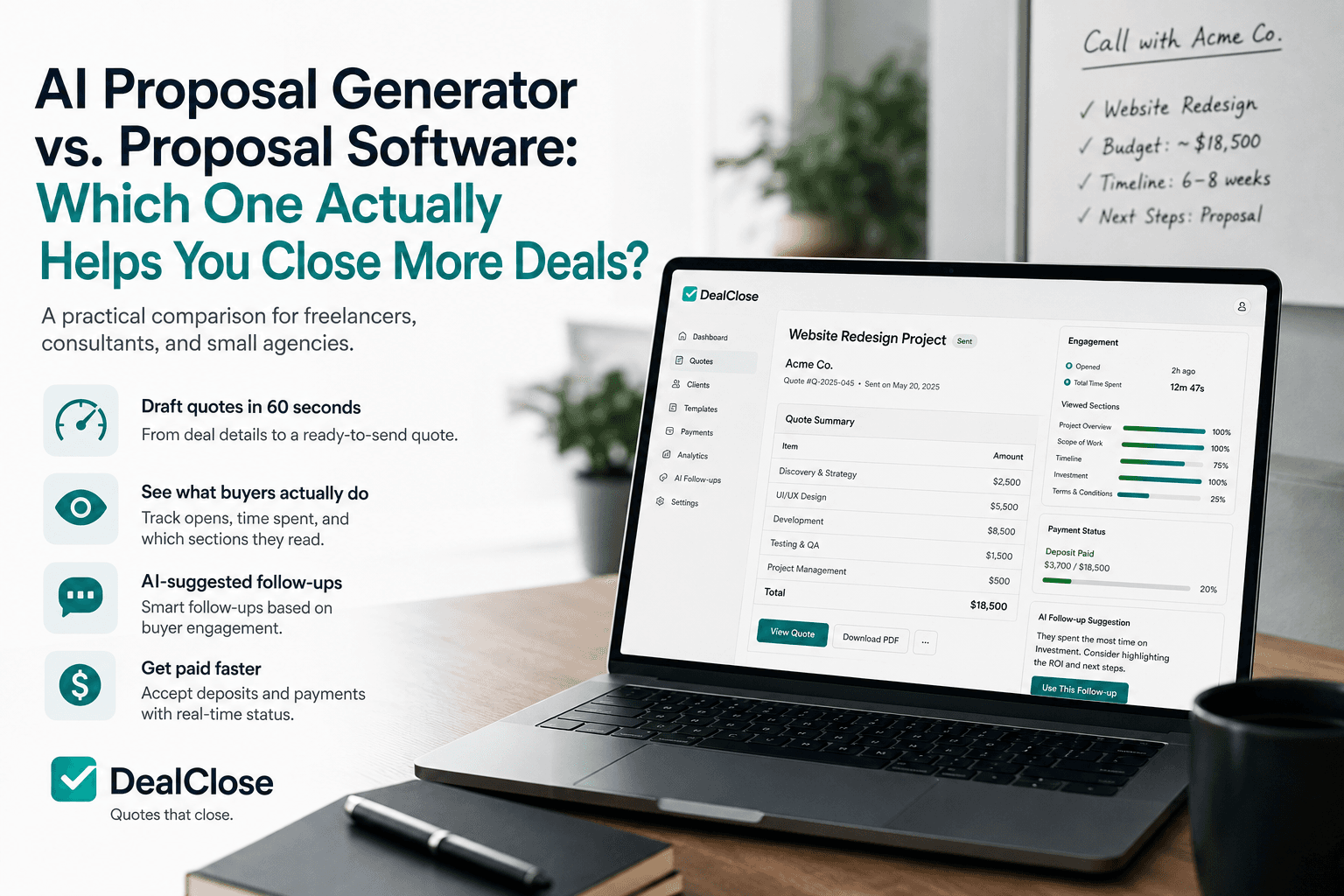
You just got off a call. The client is warm, the scope is roughly clear in your head, and you may have a short window before their attention moves to the next vendor.
So you open your proposal tool and stare at a blank template, or a folder of past quotes you have to edit by hand.
That is the actual bottleneck for most freelancers, consultants, and small agencies: not formatting a document, but writing the quote itself. The pricing, scope, and buyer-specific language still have to be created before anything can be sent.
Search results for "AI proposal generator," "proposal software for small business," and "sales quote software" often overlap. But they do not always solve the same workflow problem.
The Real Bottleneck Is Writing the Quote
The search market is moving toward speed, AI drafting, quote tracking, e-signature, and payment language. HubSpot describes quote software around creating and sending quotes, collecting e-signatures, and receiving payments in one place. Qwilr emphasizes interactive proposals, buyer analytics, signatures, and payments. That tells you what buyers are really trying to solve: getting from conversation to close faster.
For small teams, the question is not only "Which tool makes a nicer document?" It is "Which tool gets a clear, accurate, buyer-specific quote in front of the client while the deal is still warm?"
If your current process starts with copying an old proposal, replacing names, rebuilding line items, and hoping nothing stale survives the edit, your bottleneck is drafting. A document editor can help with polish, but it does not remove the blank-page work.
What Proposal Software Usually Means
Tools like PandaDoc and Proposify are built around the document. You start from a template or blank canvas, drop in content blocks, adjust the layout, and route it for approval or signature.
That is genuinely useful when:
- Your proposals are long, contract-heavy documents with legal terms that need consistent language.
- You route documents through multiple internal approvers before they go out.
- Your team already has a proposal writer or account manager responsible for drafting content.
- Brand-heavy proposal design is a major part of your sales process.
The tradeoff is that proposal software formats what you give it. It may help you manage templates and documents, but the first draft still often depends on you.
What an AI-First Quote Tool Does Differently
An AI proposal generator starts one step earlier. Instead of opening on a blank template, you give it the deal details: client, project scope, pricing, timeline, and goals. It drafts the quote, including line items and buyer-specific language, so you start from something editable instead of empty.
With DealClose, that first draft is designed to take about 60 seconds. You are still reviewing the scope, numbers, and terms before sending, but the manual writing step becomes a quick edit pass.
The difference also shows up after you send. Sales quote software built around the deal, not just the document, should help you share a quote link, track engagement, see payment status, and follow up based on what the buyer actually did.
- A shareable quote link instead of only a PDF attachment.
- Quote tracking that shows when the buyer opened the quote and what they viewed.
- Real-time payment status when the quote includes a deposit or payment option.
- AI-suggested follow-ups based on buyer behavior instead of generic check-ins.
AI Proposal Generator vs. Sales Quote Software, Side by Side
| Decision Point | Template-Based Proposal Software | AI-First Quote Software |
|---|---|---|
| Starting point | Blank canvas or template you fill in | AI-drafted quote from deal details |
| Time to first send | You write pricing and scope by hand | First draft in about 60 seconds, then review and edit |
| Best for | Long, contract-heavy proposals with formal approval routing | Fast, buyer-specific quotes sent right after a sales call |
| Buyer visibility | Varies by platform and plan | Quote engagement signals tied to follow-up |
| Follow-up | Manual, based on your notes and memory | AI-suggested, based on what the buyer viewed |
| Payment | Often handled through plan-specific integrations or separate workflows | Built into the shared quote workflow when payment is enabled |
| Setup effort | Templates to build and maintain | Deal details in, quote out, with less template maintenance |
This is a workflow comparison, not a claim about every current plan from every vendor. Feature sets and pricing change, so always check current product pages before making a final buying decision.
When a Template-Based Proposal Tool Is the Better Fit
A document-first tool is probably the better call when control matters more than speed.
- Your proposals routinely run 15 or more pages with dense contract terms.
- You need multi-party e-signature routing as a hard requirement today.
- Your sales process already includes a dedicated proposal writer.
- You sell into procurement processes that expect a specific, heavily formatted document type.
- Your company needs strict approval routing and content governance.
If those describe your deals more than "clean quote, sent fast, tracked well," a template platform may earn its cost.
When an AI-First Quote Tool Is the Better Fit
An AI-first tool like DealClose tends to fit better when your biggest time cost is writing the first draft, not designing the final document.
- You are a freelancer, consultant, or small agency sending quotes directly after calls.
- You want to know what happens after you hit send, not just whether the email arrived.
- You would rather follow up based on buyer activity than guess.
- You need a clean quote that can support payment capture and real-time status.
- A full document platform is more setup than the deal size justifies.
Freelancers often feel this gap first. The deal may be too small for a heavyweight proposal platform, but the quote still needs to look professional and move the buyer toward a clear next step.
What to Check Before You Commit to Either Category
- Time your current process. From call ends to quote sent, how long does it actually take today?
- Check what happens after send. Can you see whether the client opened your quote, or are you waiting for a reply?
- Look at your last five deals. Were they straightforward quotes or formal proposals with heavy contract language?
- Ask what a missed follow-up costs you. Engagement tracking matters when deals go cold quietly.
- Confirm what is live today, not only on a roadmap, for any tool you evaluate.
What to Do Next
If your quotes are simple, buyer-specific, and time-sensitive, the kind you would rather draft in a minute than build from a template, that is the problem DealClose is built around.
You can start a quote with your next deal details and see the AI-drafted version before deciding whether it is ready to send.
If your proposals are closer to formal, contract-heavy documents with multi-party approval, a template platform may still be the more honest recommendation. The right tool is the one that matches how your deals actually close, not the one with the longest feature list.
FAQ
What's the difference between an AI proposal generator and proposal software like PandaDoc?
Proposal software like PandaDoc gives you templates and a document editor. You still write the pricing, scope, and terms yourself. An AI proposal generator drafts that content from deal details, so you start from a filled-in quote instead of a blank page.
Is an AI proposal generator accurate enough to send without editing?
Treat the AI draft as a strong starting point, not a final answer. It can structure pricing, line items, and buyer-specific language based on what you provide, but you should still review numbers, terms, and scope before sending.
Do I still need PandaDoc or Proposify if I use an AI quote tool?
It depends on your workflow. If your deals require heavy contract language, multi-party e-signature routing, or complex legal terms, a document platform may still fit better. If your bottleneck is getting a clean, buyer-specific quote out fast and knowing what happens after you send it, an AI-first quote tool covers that gap directly.
How fast can you create a quote with an AI proposal generator?
With DealClose, a first draft of a buyer-specific quote is designed to take about 60 seconds to generate from the deal details. You still review it before sending, but the manual writing step becomes a quick edit pass.
Can I track whether a client actually opened my quote?
Yes, with quote tracking. DealClose shows when a shared quote link is opened, how long the buyer spent on it, and which sections got attention, then suggests a follow-up based on that behavior.
Create your next quote while the conversation is still fresh.
DealClose.co helps small teams create buyer-specific quotes in about 60 seconds, send trackable links, export PDFs, follow up with context, collect signatures, and move from quote to payment.
Create your next quote